How to Fix a Green Pool: The SLAM Method
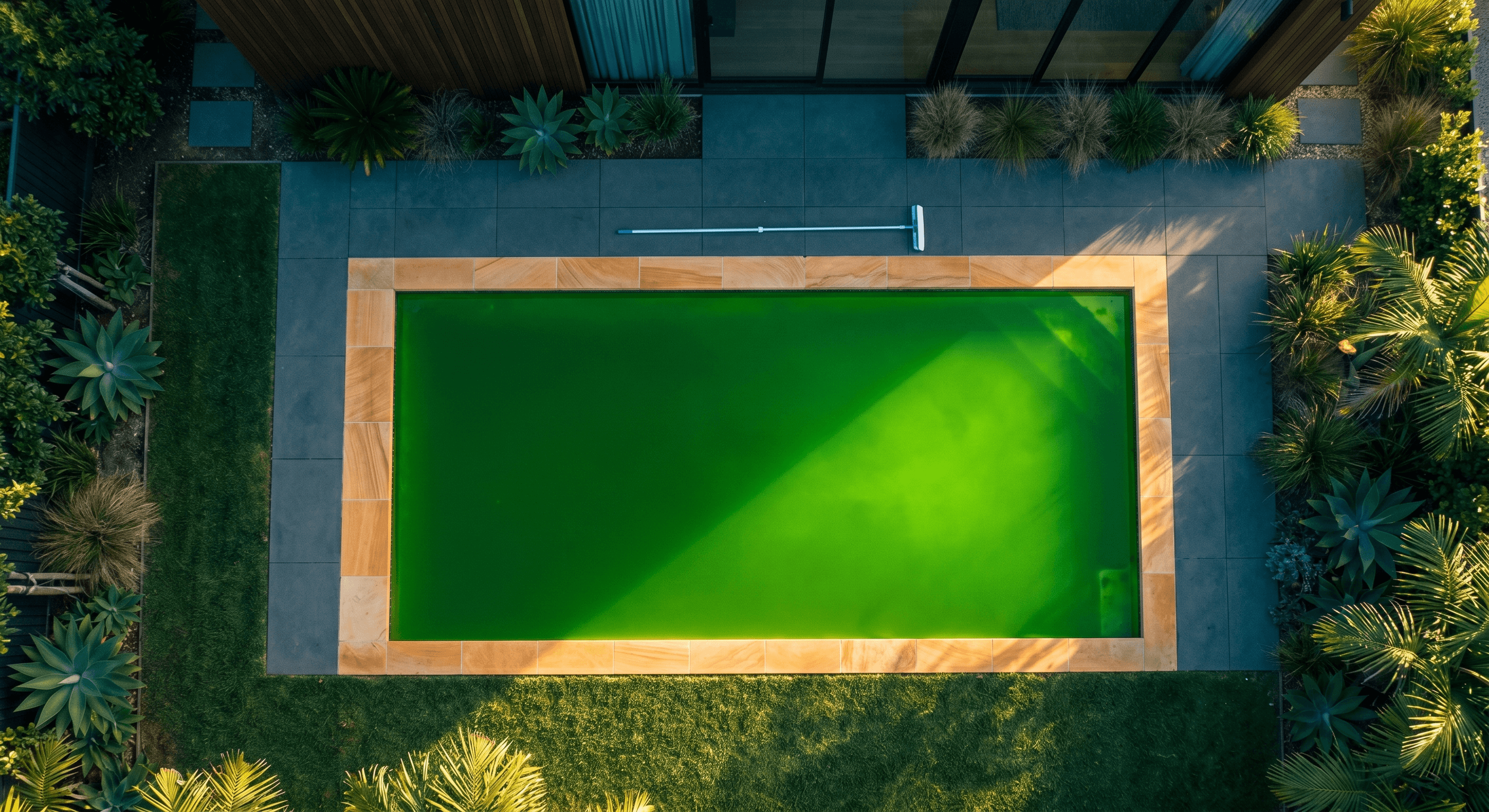
A green pool is not a catastrophe. It looks terrible, but the fix is straightforward chemistry: kill the algae with chlorine, filter out the dead algae, and prevent it from coming back. The process is called SLAM — Shock Level And Maintain — and it works every time if you follow it correctly. For a broader look at all three algae types including yellow and black, see the algae treatment guide.
The key word is "maintain." Most people fail at clearing a green pool not because they do not add enough chlorine, but because they add a single dose, walk away, and expect the pool to fix itself. Algae fights back. You need sustained elevated chlorine to win.
Diagnose the Severity
The shade of green tells you how much algae you are dealing with and roughly how long the fix will take.
Light green or teal
You can still see the bottom of the pool (at least in the shallow end). This is early-stage algae — it probably started within the last 24–48 hours. Free chlorine is low or zero, but the algae population is still small.
Expected fix time: 24–48 hours with SLAM.
Medium green
You cannot see the bottom. The water looks like green Kool-Aid. The algae has been growing for 3–5 days and has established a visible bloom. Chlorine demand will be significant.
Expected fix time: 3–5 days.
Dark green or black-green
The water is opaque. You cannot see more than a few inches into it. This is a severe bloom — the pool has been without adequate chlorine for a week or more, and organic matter is decomposing. The chlorine demand is extreme.
Expected fix time: 5–10 days. If CYA is very high (100+), a partial drain may be necessary before treatment is practical.
Before You Start: Check Your CYA
This step is critical and is the one most people skip.
Test your CYA level before doing anything else. Your shock FC target is determined entirely by your CYA reading. If you do not know your CYA, you cannot know how much chlorine to add.
| CYA (ppm) | Shock FC Target (ppm) |
|---|---|
| 0 | 10 |
| 20 | 10 |
| 30 | 12 |
| 40 | 16 |
| 50 | 20 |
| 60 | 24 |
| 70 | 28 |
| 80 | 31 |
| 90 | 35 |
| 100 | 39 |
If your CYA is above 80–100, the shock level becomes very high — 31–39+ ppm of FC. That is a lot of chlorine. If CYA is above 100, seriously consider a partial drain to lower CYA before starting SLAM. It is faster and cheaper to drain 30–50% of the water and refill than to fight algae with CYA at 150.
Test your CYA before doing anything else. Your shock FC target is determined entirely by your CYA reading. Without knowing CYA, you cannot calculate the correct chlorine dose. If CYA is above 100, drain 30-50% of the water first — it is faster and cheaper than fighting algae at extreme chlorine levels. For a deeper explanation of the CYA-chlorine relationship, see CYA and Chlorine: Why Your Pool Store Gets It Wrong.
Testing note: CYA tests become unreliable when CYA is very high (above 100). If you have been using trichlor tablets exclusively for 2+ seasons and have never drained, assume CYA is high and test after a partial drain.
The SLAM Process
SLAM stands for Shock Level And Maintain. It is not a one-time dose — it is a sustained process. Here are the steps:
Step 1: Lower pH to 7.2
Chlorine is significantly more effective at lower pH. At pH 7.2, about 66% of FC is in the active form (hypochlorous acid). At pH 8.0, only about 21% is active. Lowering pH before shocking means your chlorine works three times harder.
Add muriatic acid with the pump running. For a 15,000-gallon pool, roughly 1 cup (8 oz) of 31.45% muriatic acid lowers pH by about 0.2 points. Add slowly to the deep end and wait 30 minutes before retesting.
Do not worry about getting pH perfect. Anywhere from 7.0 to 7.4 is fine for SLAM. You will rebalance after the algae is dead.
Step 2: Raise FC to Shock Level
Using the CYA-FC table above, calculate your shock FC target. Then add liquid chlorine to reach that target. For a complete breakdown of shock treatment types and dosing, including cal-hypo and dichlor comparisons, see the shock guide.
Liquid chlorine dosing:
- 10% sodium hypochlorite (pool-grade): ~7.5 ppm FC per gallon per 10,000 gallons
- 6% bleach (household): ~4.5 ppm FC per gallon per 10,000 gallons
- 12.5% sodium hypochlorite: ~9.4 ppm FC per gallon per 10,000 gallons
Example: Pool is 15,000 gallons. CYA is 50. Shock FC target is 20 ppm. Current FC is 0. You need 20 ppm in 15,000 gallons. Using 10% liquid chlorine: 20 / 7.5 = 2.67 gallons per 10,000 gallons, times 1.5 = 4 gallons.
Pour liquid chlorine slowly in front of a return jet with the pump running. Add in the evening to minimize UV loss overnight.
Only use liquid chlorine (sodium hypochlorite) for SLAM. Do not use trichlor shock, dichlor, or cal-hypo. Trichlor and dichlor add CYA — the last thing you want when fighting algae. Cal-hypo adds calcium, clouds the water, and is harder to dose precisely. Liquid chlorine adds nothing but chlorine and salt.
Step 3: Brush Everything
Brush the entire pool — walls, floor, steps, corners, behind ladders, and anywhere algae is visible. Brushing breaks up algae colonies and exposes them to the chlorine. Algae that clings to surfaces in a biofilm layer is partially protected from chlorine, so physical agitation matters.
Use a steel-bristle brush for plaster/concrete surfaces. Use a nylon brush for vinyl and fiberglass — steel bristles will scratch.
Brush thoroughly at the start of SLAM and once daily throughout the process.
Step 4: Run the Filter 24/7
The filter catches dead algae. Without filtration, dead algae sits in the water and makes it cloudy even after the chlorine has killed it.
Run the pump 24 hours a day throughout the entire SLAM process. Do not turn it off to "save electricity" — every hour the filter runs is an hour of progress.
Filter maintenance during SLAM:
- Cartridge filters: Check the pressure gauge. When pressure rises 8–10 PSI above clean baseline, pull the cartridge and rinse it. This may need to happen every 12–24 hours during heavy algae kills.
- Sand filters: Backwash when pressure rises 8–10 PSI above clean baseline. Do not add clarifier to a sand filter during SLAM — it can clog the sand bed.
- DE filters: Backwash and recharge with fresh DE when pressure rises. Bump if your filter has a bump mechanism.
Step 5: Retest and Maintain FC Every Few Hours
This is the step that separates success from failure. Algae consumes chlorine. During an active bloom, FC can drop from shock level to near zero in just a few hours. If FC drops below shock level, the algae that survived starts growing again and you lose progress.
Test FC at least 3 times per day during SLAM. Morning, midday, and evening at minimum. More often is better for severe blooms.
Every time FC drops below shock level, add more liquid chlorine to bring it back up. This is the "maintain" in Shock Level And Maintain. You are not just shocking once — you are keeping FC at shock level continuously until the algae is dead.
Step 6: Continue Until All Three Criteria Are Met
The SLAM process is complete when all three of the following are true simultaneously:
- Water is clear. You can see the bottom of the deep end clearly. Slight haze is acceptable; green tint is not. If the water is cloudy water but no longer green, that is dead algae being filtered out — keep running the pump.
- FC holds overnight. Test FC at sunset and again at sunrise. If FC drops by less than 1–2 ppm overnight (with the pump running and no sunlight), the chlorine demand from algae is gone.
- CC is 0.5 ppm or less. Combined chlorine (TC minus FC) should be negligible. If CC is above 0.5, there are still contaminants being oxidized.
Do not stop SLAM early. If the water looks clear but FC is still dropping 5+ ppm overnight, algae is still present and the bloom will return within days if you reduce chlorine.
After SLAM: Return to Normal
Once all three criteria are met:
- Let FC drop naturally to your normal target range for your CYA level (the "recommended target FC" column, not the shock level).
- Rebalance pH. It has probably dropped during SLAM from all the chlorine additions. Raise pH to 7.4–7.6 with soda ash or borax.
- Check TA and CH. Adjust if needed.
- Resume normal chlorination. Return to your regular chlorine routine — daily liquid chlorine, an SWG, or a conservative trichlor regimen.
- Identify the root cause. Why did the pool go green? The most common causes are:
- FC dropped below minimum for your CYA (the number one cause)
- CYA climbed too high from trichlor, making FC inadequate
- Pump was off for an extended period (vacation, power outage, or improper winterization)
- Heavy rain diluted chlorine and added phosphates
Fix the root cause or you will be doing SLAM again in a few weeks.
When to Drain Instead of SLAM
In some cases, SLAM is impractical and a partial drain is the faster, cheaper option:
- CYA above 100 ppm. Shock level is 39+ ppm, which requires enormous amounts of chlorine. Drain 40–50% of the water, refill, retest CYA, and then SLAM at a manageable shock level.
- Chlorine demand is infinite. If you add chlorine and it reads zero within an hour, repeatedly, the organic load is too high for treatment. A partial drain reduces the contaminant concentration.
- Black water with heavy debris. If the pool has been neglected for months and is full of leaves, sludge, and decomposing organic matter, vacuuming to waste and partially draining is more efficient than trying to shock through it.
Never fully drain a pool without professional guidance. Groundwater pressure can float fiberglass pools, and plaster can crack and delaminate when exposed to air and sun. Always drain in stages and refill between each.
Costs and Chemical Usage
For reference, here is roughly how much liquid chlorine (10% sodium hypochlorite) a SLAM treatment uses for a 15,000-gallon pool:
| Severity | CYA 40 (Shock to 16 ppm) | CYA 80 (Shock to 31 ppm) |
|---|---|---|
| Light green | 3–5 gallons total | 6–10 gallons total |
| Medium green | 8–15 gallons total | 15–25 gallons total |
| Dark green | 15–25+ gallons total | 25–40+ gallons total |
At roughly $4–5 per gallon for liquid chlorine, a moderate green pool costs $30–$75 in chlorine. A severe bloom at high CYA can cost $100+. Compare this to pool service companies that charge $300–$500 for an algae treatment.
Prevention
The best green pool fix is not needing one. Prevention comes down to three things:
- Maintain FC above the minimum for your CYA level. This is the single most important thing. If FC never drops below minimum, algae cannot grow. Period.
- Test regularly. FC and pH 2–3 times per week during swim season. If FC is trending down, add chlorine before it hits the minimum.
- Manage CYA. Keep CYA in the 30–50 range (60–80 for SWG pools). If it creeps above 80, plan a partial drain. Do not wait until you have a problem.
A pool chemical calculator like Poolably makes this easy — enter your test results and the app tells you whether your FC is adequate for your CYA, or whether you are in the danger zone.
Frequently Asked Questions
Vlad Kuzin
Founder of Poolably. Building the most practical pool chemistry calculator on iOS.